Monthly Returns in PineScript Strategies
I'm not 100% satisfied with the strategy performance output I receive from TradingView. Quite often I want to see something that is not available by default. I usually export raw trades/metrics from TradingView and…
I'm not 100% satisfied with the strategy performance output I receive from TradingView. Quite often I want to see something that is not available by default. I usually export raw trades/metrics from TradingView and then do additional analysis manually. But with tables, you can build additional metrics and tools for your strategies quite easily.
This script will just show a table with monthly/yearly performance of your script. Quite a lot of traders/investors used to look at returns like that. Also, it might help you to identify periods of time when your strategy performed good/bad than expected and try to analyze that better. The script is very simple and I believe you can easily apply it to your own strategies.
Disclaimer Please remember that past performance may not be indicative of future results. Due to various factors, including changing market conditions, the strategy may no longer perform as well as in historical backtesting. This post and the script don't provide any financial advice.
backtest
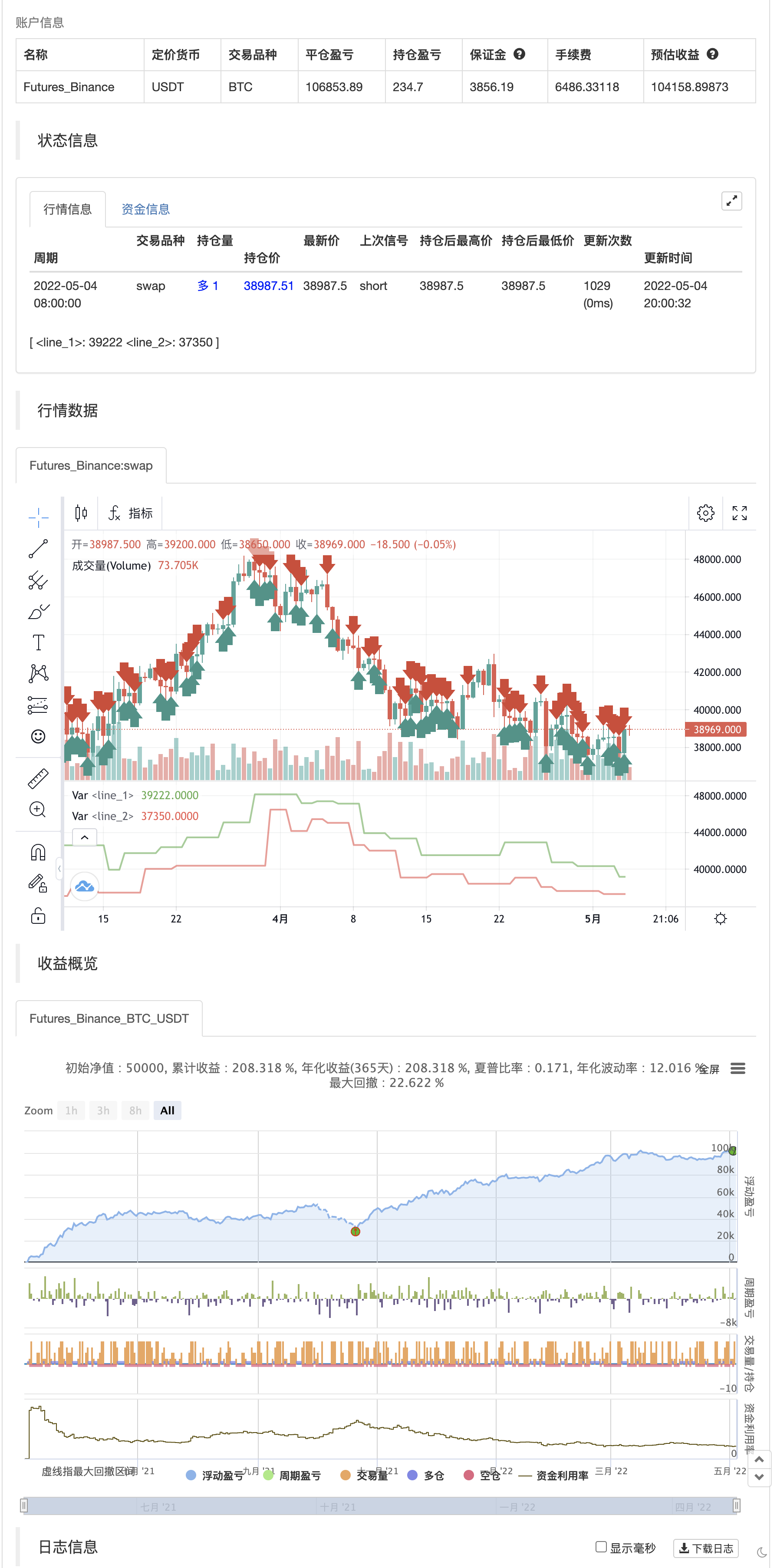
Parameters
| Name | Default | What it controls |
|---|---|---|
| v_input_1 | 2 | leftBars |
| v_input_2 | 2 | rightBars |
| v_input_3 | 2 | Return Precision |
Source Pine Script
/*backtest
start: 2021-05-05 00:00:00
end: 2022-05-04 23:59:00
period: 12h
basePeriod: 15m
exchanges: [{"eid":"Futures_Binance","currency":"BTC_USDT"}]
*/

//@version=4
//strategy("Monthly Returns in PineScript Strategies", overlay = true, default_qty_type = strategy.percent_of_equity, default_qty_value = 25, calc_on_every_tick = true, commission_type = strategy.commission.percent, commission_value = 0.1)

// Inputs
leftBars  = input(2,"leftBars")
rightBars = input(2,"rightBars")
prec      = input(2, title = "Return Precision")

// Pivot Points
swh = pivothigh(leftBars, rightBars)
swl = pivotlow(leftBars, rightBars)

hprice = 0.0
hprice := not na(swh) ? swh : hprice[1]

lprice = 0.0
lprice := not na(swl) ? swl : lprice[1]

le = false
le := not na(swh) ? true : (le[1] and high > hprice ? false : le[1])

se = false
se := not na(swl) ? true : (se[1] and low < lprice ? false : se[1])

if (le)
	strategy.entry("PivRevLE", strategy.long, comment="PivRevLE")

if (se)
	strategy.entry("PivRevSE", strategy.short, comment="PivRevSE")

plot(hprice, color = color.green, linewidth = 2)
plot(lprice, color = color.red,   linewidth = 2)
Published by ChaoZhang on the FMZ strategy square · last modified 2022-05-08. Collected in the Quant Trading Vault. Unvalidated research: re-test with your own data and costs before trusting it.
Build this with AgenKit
A spec is not a trading system. Paste this into your coding agent and AgenKit runs a specialist team — architecture, test-first build, risk gates, review — with paper trading on by default.
/agenkit build a production-grade trading bot with a backtest engine, risk controls and paper trading by default from strategies/Monthly-Returns-in-PineScript-Strategies.md- npx agenkit install engineering-kit in your project
- Paste the command into your agent and approve each phase
- Get tests, backtest, risk controls and a paper-trading switch
Understand it first
Before you run this, read the lesson behind the idea and how to backtest it honestly. Specs like this one are the survivors of an unknown number of trials; deflate their results accordingly.
Related specs
- Alert alertcondition or strategy alertsPine Script · Other · 4h
- OBV MACD IndicatorPine Script · Other · 30m
- Goblin Town 60minPine Script · Other
- Pivot Point Forecast Oscillator Backtesting StrategyPine Script · Other · 1d
- RSI Divergence IndicatorPine Script · Other · 5m
- Dynamic Stop Loss Alert TradingView StrategyPine Script · Other · 3h