Strategy vault / Trend following
Multi Timeframe Oscillation Channel Trend Tracking Strategy
This strategy is based on the Supertrend indicator, combined with multiple timeframe market trend analysis, and adopts the oscillation channel method to identify entry opportunities.
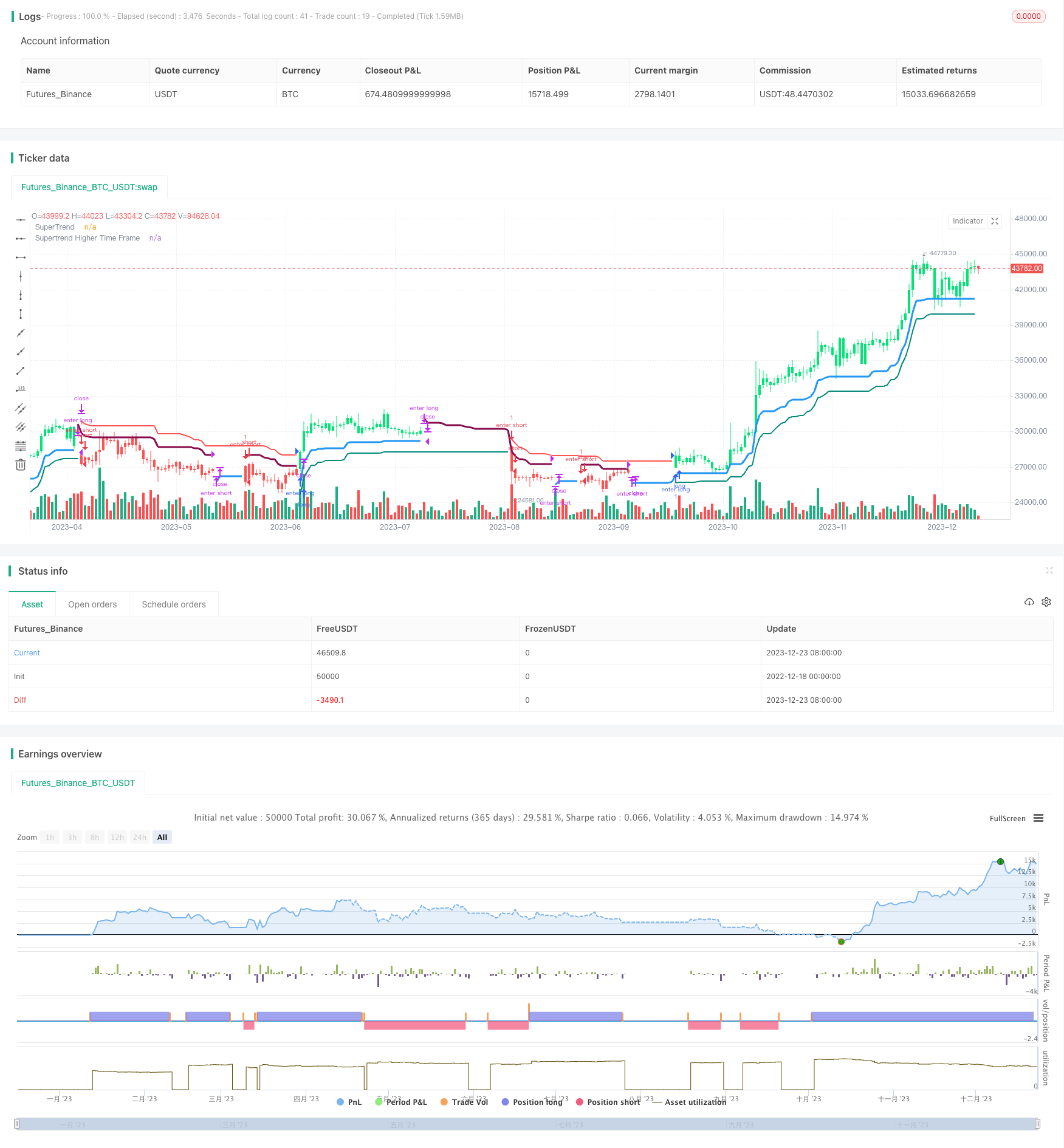
Overview
This strategy is based on the Supertrend indicator, combined with multiple timeframe market trend analysis, and adopts the oscillation channel method to identify entry opportunities.
Strategy Principle
- Use the traditional Supertrend indicator to determine the trend direction
- Add Supertrend of higher timeframe to ensure there is a trend in higher timeframe too
- Determine the overall trend direction based on the Supertrend indicators of two timeframes
- Identify specific entry opportunities based on the price breakout of the upper and lower rails of the oscillation channel
Advantage Analysis
- Multi-timeframe analysis makes trend judgment more reliable
- Combining high and low timeframes ensures catching the major trend while being able to capture short-term opportunities
- The oscillation channel setting stops loss points which helps risk control
Risks and Solutions
- The Supertrend itself has some lagging phenomenon, which may miss trend reversal points
- The lagging risk can be reduced by optimizing parameters or incorporating other indicators to assist in identifying trend changes
Optimization Directions
- Optimize Supertrend parameters to reduce lagging
- Add trend filtering indicators to ensure catching the major trend more accurately
- Test and select more appropriate stop loss methods
Summary
This strategy integrates multi-timeframe analysis and trend tracking indicators to grasp the major trend while seeking specific entry opportunities. With continuous optimization, it is expected to achieve long-term steady excess returns.
Parameters
| Name | Default | What it controls |
|---|---|---|
| v_input_1 | false | Select HTF Automatically for Additional Supertrend |
| v_input_2 | Select Higher Timeframe for Additional Supertrend | |
| v_input_3 | 3 | Multiplier for Default Supertrend |
| v_input_4 | 10 | Period for Default Supertrend |
| v_input_5 | 2 | Multiplier for Additional Supertrend |
| v_input_6 | 14 | Period for Additional Supertrend |
| v_input_7 | true | Change Bar Color |
| v_input_8 | false | vwapfilter |
Source Pine Script
/*backtest
start: 2022-12-18 00:00:00
end: 2023-12-24 00:00:00
period: 1d
basePeriod: 1h
exchanges: [{"eid":"Futures_Binance","currency":"BTC_USDT"}]
*/

// This source code is subject to the terms of the Mozilla Public License 2.0 at https://mozilla.org/MPL/2.0/
// © ramki_simple
// Thanks to LonesomeTheBlue for the original code
//@version=4
strategy("Multi Supertrend with no-repaint HTF option strategy", overlay = true, shorttitle='Multi Supertrend')
//auto higher time frame
HTFAuto = timeframe.period == '1' ? '5' :
  timeframe.period == '3' ? '15' :
  timeframe.period == '5' ? '15' :
  timeframe.period == '15' ? '60' :
  timeframe.period == '30' ? '60' :
  timeframe.period == '45' ? '60' :
  timeframe.period == '60' ? '240' :
  timeframe.period == '120' ? '240' :
  timeframe.period == '180' ? '240' :
  timeframe.period == '240' ? 'D' :
  timeframe.period == 'D' ? 'W' :
  '5W'
HTFSelection = input(title='Select HTF Automatically for Additional Supertrend', type=input.bool, defval=false)
HTFUserSel = input(title='Select Higher Timeframe for Additional Supertrend',type=input.resolution, defval ='')
HTF = HTFSelection ? HTFAuto : HTFUserSel


Mult1 = input(title='Multiplier for Default Supertrend', defval=3.0, minval = 0, maxval = 10)
Period1 = input(title='Period for Default Supertrend', defval=10, minval = 1, maxval = 100)
Mult2 = input(title='Multiplier for Additional Supertrend', defval=2.0, minval = 0, maxval = 10)
Period2 = input(title='Period for Additional Supertrend', defval=14, minval = 1, maxval = 100)

chbarcol = input(true, title = "Change Bar Color")

[Trailings, Trend] = supertrend(Mult1, Period1)

linecolor = Trend == -1 and Trend[1] == -1 ? color.teal :
   Trend == 1 and Trend[1] == 1 ? color.red :
   color.new(color.white, 100)
plot(Trailings, color = linecolor,  linewidth = 2,title = "SuperTrend")

f_Security(_symbol, _res, _src) => security(_symbol, _res, _src[1], lookahead = barmerge.lookahead_on)

nonVectorSupertrend(Mult, Period) =>
    [Trail_, Trend_] = supertrend(Mult, Period)
    Trail_*Trend_


[TrailingslHtf, TrendHtf] = supertrend(Mult2, Period2)

if HTF != timeframe.period and HTF != ''
    CompositeTrailHtf = f_Security(syminfo.tickerid, HTF,nonVectorSupertrend(Mult2, Period2) )
    TrailingslHtf := abs(CompositeTrailHtf)
    TrendHtf := CompositeTrailHtf > 0 ? 1 : -1


linecolorHtf = TrendHtf == -1 and TrendHtf[1] == -1 ? color.blue :
   TrendHtf == 1 and TrendHtf[1] == 1 ? color.maroon :
   color.new(color.white, 100)
plot(TrailingslHtf, color = linecolorHtf, linewidth = 3, title = "Supertrend Higher Time Frame")

barcolor_ = Trend == -1 and TrendHtf == -1 ? color.lime :
   Trend == 1 and TrendHtf == 1 ? color.red :
   color.white
barcolor(color = chbarcol ? barcolor_ : na)

vwapfilter = input(false)

Long = Trend == -1 and TrendHtf == -1
Short = Trend == 1 and TrendHtf == 1
strategy.entry("enter long", true, 1, when = Long and not Long[1] and (vwapfilter and close > vwap or not vwapfilter))
strategy.entry("enter short", false, 1, when = Short and not Short[1] and (vwapfilter and close < vwap or not vwapfilter))
strategy.close("enter long", when = Long[1] and not Long)
strategy.close("enter short", when = Short[1] and not Short)Published by ChaoZhang on the FMZ strategy square · last modified 2023-12-25. Collected in the Quant Trading Vault. Unvalidated research: re-test with your own data and costs before trusting it.
Build this with AgenKit
A spec is not a trading system. Paste this into your coding agent and AgenKit runs a specialist team — architecture, test-first build, risk gates, review — with paper trading on by default.
/agenkit build a production-grade trading bot with a backtest engine, risk controls and paper trading by default from strategies/Multi-Timeframe-Oscillation-Channel-Trend-Tracking-Strategy.md- npx agenkit install engineering-kit in your project
- Paste the command into your agent and approve each phase
- Get tests, backtest, risk controls and a paper-trading switch
Understand it first
Before you run this, read the lesson behind the idea and how to backtest it honestly. Specs like this one are the survivors of an unknown number of trials; deflate their results accordingly.
Related specs
- Intelligent Multi Dimensional Adaptive Trend Trading SystemPine Script · Trend following · 1h
- VWAP and Super Trend Buy Sell StrategyPine Script · Trend following · 1d
- Multi Dimensional Technical Indicator Composite Trend Tracking Quantitative Trading StrategyPine Script · Trend following · 5m
- Multi Indicator Composite Trend Following StrategyPine Script · Trend following · 1d
- Super Trend V StrategyPine Script · Trend following · 1d
- Trend Confirmation Tracking StrategyPine Script · Trend following · 1h