REST Version OKEx Cross Period Hedging Strategy Tutorial
- Only do bull spreads; bear spreads can be done by swapping contracts, which is the bear spread. - Add Two Exchange Objects, the First for the Quarter, the Second for the Week. - Streamlined all code that could be…
Minimal OKEX cross-period hedging strategy (tutorial)
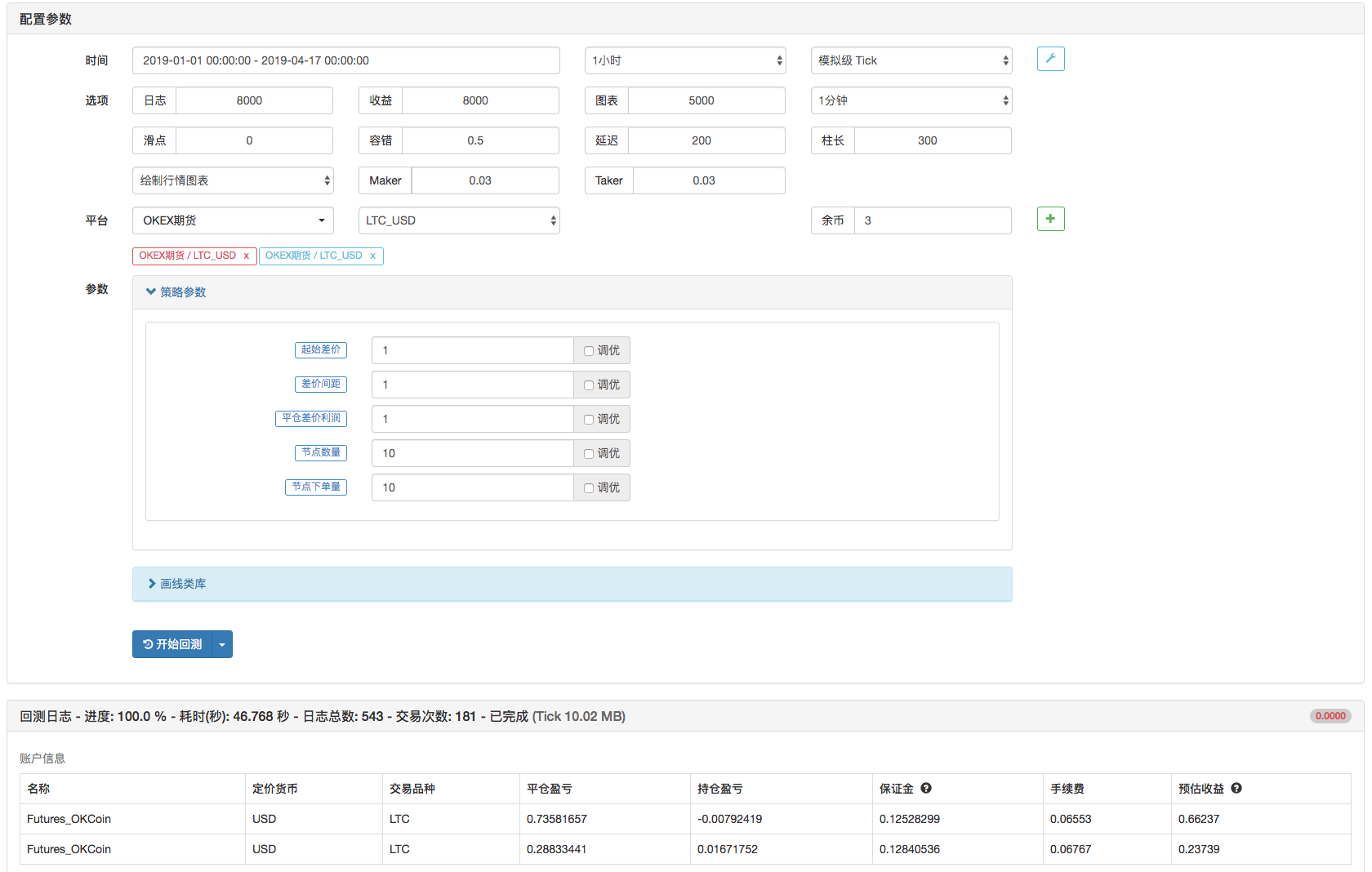
Only do bull spreads; bear spreads can be done by swapping contracts, which is the bear spread.
Add Two Exchange Objects, the First for the Quarter, the Second for the Week.
Streamlined all code that could be simplified, with significant room for optimization; teaching strategy is cautious in real trading, and there is some risk across periods.
Feedback welcomeBUG.
Teaching strategy, use in live trading with caution.
Teaching strategy, use in live trading with caution.
Teaching strategy, use in live trading with caution.
Parameters
| Name | Default | What it controls |
|---|---|---|
| _Begin | true | Starting spread |
| _Add | true | Price difference |
| _Profit | true | Closing price spread profit |
| _Count | 10 | Number of nodes |
| _ContractNum | true | Node order quantity |
Source JavaScript
function Hedge (isOpen, priceA, priceB) {
    exchanges[0].SetDirection(isOpen ? "sell" : "closesell")
    exchanges[1].SetDirection(isOpen ? "buy" : "closebuy");
    (function (routineA, routineB) {
        Log(routineA.wait(), routineB.wait(), priceA, priceB)
    })(exchanges[0].Go(isOpen ? "Sell" : "Buy", priceA, _ContractNum), exchanges[1].Go(isOpen ? "Buy" : "Sell", priceB, _ContractNum));
}

var slidePrice = 5
function main () {
    var tickerA, tickerB
    var arr = []
    for (var i = 0 ; i < _Count ; i++) {
        arr.push({open: _Begin + i * _Add, cover: _Begin + i * _Add - _Profit, isHold: false})
    }
    exchanges[0].SetContractType("quarter")
    exchanges[1].SetContractType("this_week")
    while (1) {
        var tab = {type: "table", title: "Status", cols: ["Node Information"], rows: []}
        tickerA = exchanges[0].GetTicker()
        tickerB = exchanges[1].GetTicker()

        if (tickerA && tickerB) {
            $.PlotLine("Spread:Aall-Ball", tickerA.Last - tickerB.Last)
            for (var j = 0 ; j < arr.length; j++) {
                if (tickerA.Buy - tickerB.Sell > arr[j].open && !arr[j].isHold) {
                    Hedge(true, tickerA.Buy - slidePrice, tickerB.Sell + slidePrice)
                    arr[j].isHold = true
                }
                if (tickerA.Sell - tickerB.Buy < arr[j].cover && arr[j].isHold) {
                    Hedge(false, tickerA.Sell + slidePrice, tickerB.Buy - slidePrice)
                    arr[j].isHold = false
                }
                tab.rows.push([JSON.stringify(arr[j])])
            }
        }
        LogStatus(_D(), "\n `" + JSON.stringify(tab) + "`")
        Sleep(500)
    }
}
Published by 发明者量化-小小梦 on the FMZ strategy square · last modified 2019-04-17. Collected in the Quant Trading Vault. Unvalidated research: re-test with your own data and costs before trusting it.
Build this with AgenKit
A spec is not a trading system. Paste this into your coding agent and AgenKit runs a specialist team — architecture, test-first build, risk gates, review — with paper trading on by default.
/agenkit build a production-grade trading bot with a backtest engine, risk controls and paper trading by default from strategies/REST-Version-OKEx-Cross-Period-Hedging-Strategy-Tutorial.md- npx agenkit install engineering-kit in your project
- Paste the command into your agent and approve each phase
- Get tests, backtest, risk controls and a paper-trading switch
Understand it first
Before you run this, read the lesson behind the idea and how to backtest it honestly. Specs like this one are the survivors of an unknown number of trials; deflate their results accordingly.