Strategy vault / Trend following
Trendelicious
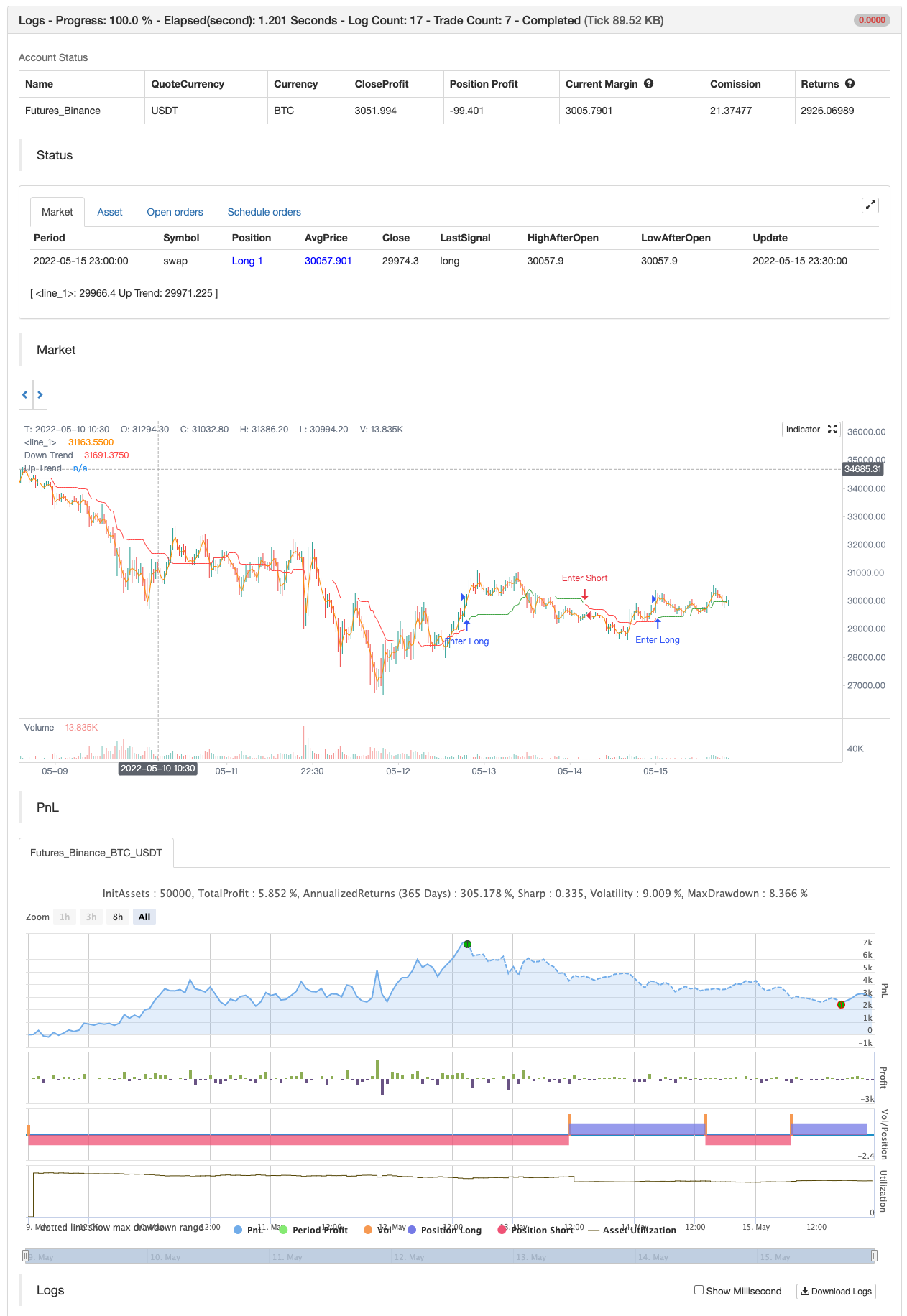
This indicator uses the rolling middle of highest and lowest points over a period of time to determine if the asset is currently in an uptrend or a downtrend. It helps visualize the current trend. Parameters : 1/…
This indicator uses the rolling middle of highest and lowest points over a period of time to determine if the asset is currently in an uptrend or a downtrend.
It helps visualize the current trend.
Parameters : 1/ length : the length of the period of time over which the highest and lowest will be considered 2/ price source : the source that will be used for calculations 3/ aggressive mode : if true, the trend direction will be more responsive to price change and will move faster from uptrend to downtrend and the other way.
Use on a higher timeframes to avoid the noise (4h, 12h, 1d etc.)
DISCLAIMER:
This is not an advice to trade. Use at your own risk. The author of this script cannot be held responsible for any losses incurred directly or indirectly by the usage of this indicator.
backtest
Parameters
| Name | Default | What it controls |
|---|---|---|
| v_input_1 | 30 | length |
| v_input_2_hl2 | 0 | Price Source: hl2 | high | low | open | close | hlc3 | hlcc4 | ohlc4 |
| v_input_3 | false | Aggressive Mode |
Source Pine Script
/*backtest
start: 2022-05-09 00:00:00
end: 2022-05-15 23:59:00
period: 30m
basePeriod: 15m
exchanges: [{"eid":"Futures_Binance","currency":"BTC_USDT"}]
*/

// This source code is subject to the terms of the Mozilla Public License 2.0 at https://mozilla.org/MPL/2.0/
// © levieux

//@version=5
indicator("Trendelicious", overlay=true)

length=input(defval=30)
price=input(defval=hl2, title="Price Source")
aggressiveMode=input(defval=false,title="Aggressive Mode")

isUptrend(price,length,aggressiveMode) =>
    uptrend= false
    PP= (ta.highest(price,length)+ta.lowest(price,length))/2
    ppChange= ta.change(PP,1)
    ppFlat= ppChange==0
    priceOverPP=ta.crossover(price,PP)
    priceUnderPP=ta.crossunder(price,PP)
    risingPrice= ta.rising(price,5)
    risingPP= ta.rising(PP,5)
    fallingPrice= ta.falling(price,5)
    fallingPP= ta.falling(PP,5)

    uptrendCondition1= price>PP and (ppChange>0 or (ppChange==0 and aggressiveMode)) and (ppChange[1]>0 or (ppChange[1]==0 and aggressiveMode)) and ppChange[2]>=0 and ppChange[3]>=0
    uptrendCondition2= (priceOverPP or risingPrice) and ppFlat and aggressiveMode
    uptrendCondition3= risingPrice and fallingPP and aggressiveMode
    downtrendCondition1= price < PP and (ppChange<0 or (ppChange==0 and aggressiveMode)) and (ppChange[1]<0 or (ppChange[1]==0 and aggressiveMode)) and ppChange[2]<=0 and ppChange[3]<=0
    downtrendCondition2= (priceUnderPP or fallingPrice) and ppFlat and aggressiveMode
    downtrendCondition3= fallingPrice and risingPP and aggressiveMode

    if uptrendCondition1 or uptrendCondition2 or uptrendCondition3
        uptrend:= true
    else if downtrendCondition1 or downtrendCondition2 or downtrendCondition3
        uptrend:= false
    else
        uptrend:= uptrend[1]
    [PP,uptrend]

[trendline,uptrend]= isUptrend(price,length,aggressiveMode)

baseLinePlot = plot((open + close) / 2, display=display.none)
upTrendPlot = plot(uptrend ? trendline : na, "Up Trend", color = color.green, style=plot.style_linebr)
downTrendPlot = plot(not uptrend ? trendline : na, "Down Trend", color = color.red, style=plot.style_linebr)
fill(baseLinePlot, upTrendPlot, color.new(color.green, 90), fillgaps=false)
fill(baseLinePlot, downTrendPlot, color.new(color.red, 90), fillgaps=false)

if uptrend
    strategy.entry("Enter Long", strategy.long)
else if not uptrend
    strategy.entry("Enter Short", strategy.short)
Published by ChaoZhang on the FMZ strategy square · last modified 2022-05-17. Collected in the Quant Trading Vault. Unvalidated research: re-test with your own data and costs before trusting it.
Build this with AgenKit
A spec is not a trading system. Paste this into your coding agent and AgenKit runs a specialist team — architecture, test-first build, risk gates, review — with paper trading on by default.
/agenkit build a production-grade trading bot with a backtest engine, risk controls and paper trading by default from strategies/Trendelicious.md- npx agenkit install engineering-kit in your project
- Paste the command into your agent and approve each phase
- Get tests, backtest, risk controls and a paper-trading switch
Understand it first
Before you run this, read the lesson behind the idea and how to backtest it honestly. Specs like this one are the survivors of an unknown number of trials; deflate their results accordingly.
Related specs
- 200 EMA VWAP MFI Trend Following StrategyPine Script · Trend following · 1d
- 4 EMA Trend StrategyPine Script · Trend following · 1d
- ADX MA and EMA Long Only Trend Tracking StrategyPine Script · Trend following · 1d
- ATR Dynamic Profit Target and Stop Loss StrategyPine Script · Trend following · 1d
- ATR Dynamic Trend Following and EMA Crossover Trading StrategyPine Script · Trend following · 1d
- ATR and Moving Average Crossover Hybrid StrategyPine Script · Trend following · 1h