Strategy vault / Trend following
Multi Take Profit and Stop Loss WaveTrend Trend Following Strategy
This strategy is based on the original WaveTrend strategy from LazyBear, with additional features like secondary stop loss, multiple take profit levels and high timeframe EMA filter. It uses WaveTrend indicator to…
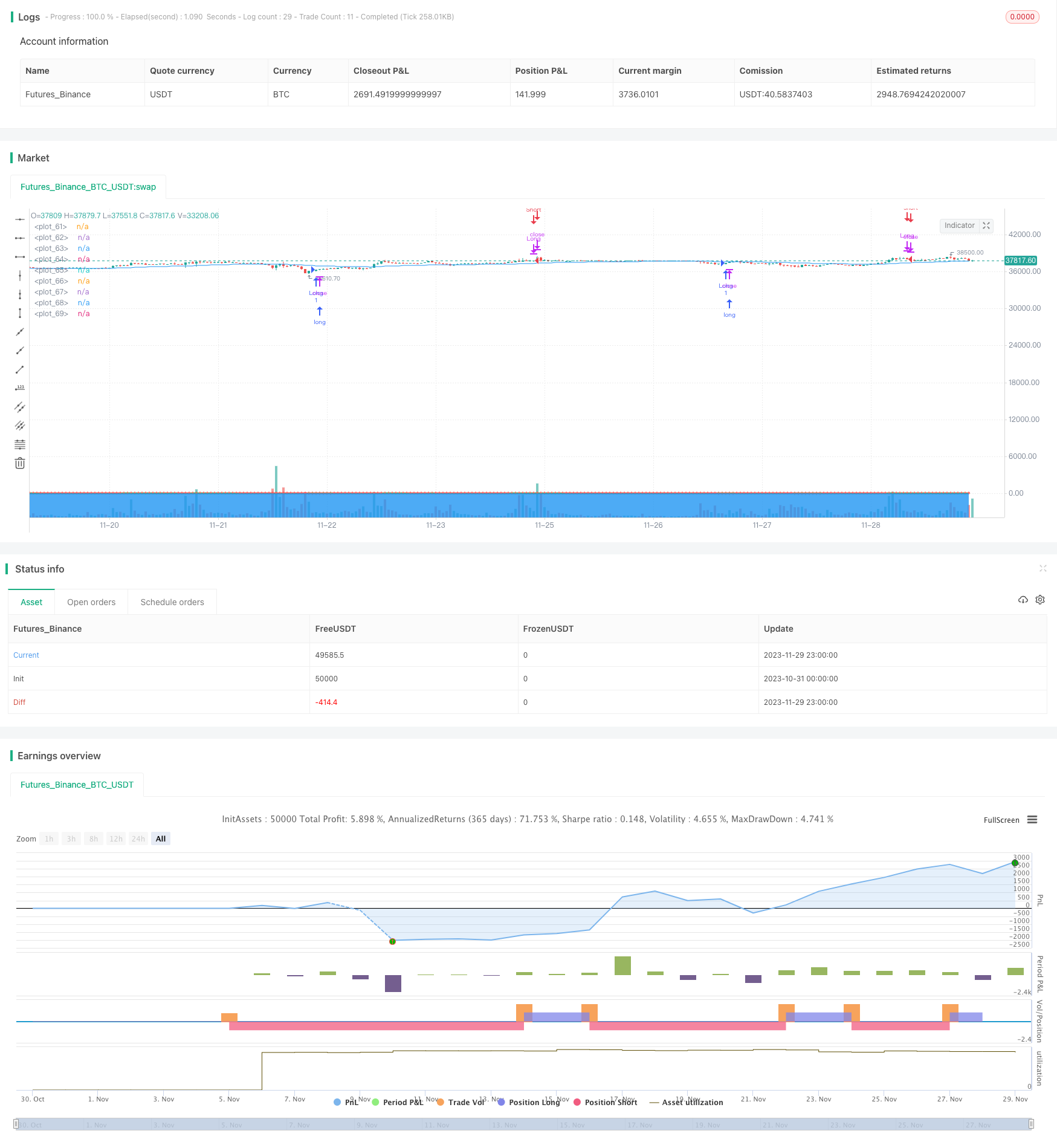
Overview
This strategy is based on the original WaveTrend strategy from LazyBear, with additional features like secondary stop loss, multiple take profit levels and high timeframe EMA filter. It uses WaveTrend indicator to generate trading signals, combined with EMA filter and stop loss/take profit management for automated trend following trading.
Strategy Logic
The core indicator of this strategy is WaveTrend, consisting of three components:
AP: Average Price = (Highest + Lowest + Close) / 3
ESA: n1-period EMA of AP
CI: (AP - ESA) / (0.015 * n1-period EMA of absolute value of (AP - ESA))
TCI: n2-period EMA of CI, also called WaveTrend Line 1 (WT1)
WT2: 4-period SMA of WT1
A long position is opened when WT1 crosses above WT2 (golden cross), and is closed when WT1 crosses below WT2 (death cross).
Additionally, a high timeframe EMA filter is implemented to avoid false signals, so that long trades are only taken when price is above EMA and short trades below EMA.
Advantages
Automatically follow trends using WaveTrend without manual judgment
Secondary stop loss effectively limits single trade loss
Multiple take profit levels maximize profit capture
EMA filter improves win rate by avoiding false signals
Risks and Improvements
Fails to detect trend reversal, might cause losses
Poor parameter tuning leads to over-trading
Different parameter sets can be tested for optimization
Consider additional indicators for reversal detection
Conclusion
This strategy comprehensively incorporates trend following, risk control and profit maximization through WaveTrend's automatic trend detection, EMA filter to improve efficiency and stop loss/take profit management to balance trend trading and risk control. It is an efficient and steady trend following system. Further parameter optimization and reversal mechanisms can enhance the strategy's applicability.
Parameters
| Name | Default | What it controls |
|---|---|---|
| v_input_1 | 10 | Channel Length |
| v_input_2 | 21 | Average Length |
| v_input_3 | 60 | Over Bought Level 1 |
| v_input_4 | 53 | Over Bought Level 2 |
| v_input_5 | -60 | Over Sold Level 1 |
| v_input_6 | -53 | Over Sold Level 2 |
| v_input_7 | false | Use EMA Filter |
| v_input_8 | 50 | EMA Length |
| v_input_9 | 60 | EMA Time Frame |
| v_input_10 | 0 | Trade Mode: Both | Short Only | Long Only |
| v_input_11 | false | Use Secondary Stop Loss |
| v_input_12 | 5 | Stop Loss Percentage (%) |
Source Pine Script
/*backtest
start: 2023-10-31 00:00:00
end: 2023-11-30 00:00:00
period: 1h
basePeriod: 15m
exchanges: [{"eid":"Futures_Binance","currency":"BTC_USDT"}]
*/

// This source code is subject to the terms of the Mozilla Public License 2.0 at https://mozilla.org/MPL/2.0/
// © undacovacobra

//@version=4
strategy("WaveTrend Strategy [LazyBear] with Secondary Stop Loss", overlay=true)

// Input parameters
n1 = input(10, "Channel Length")
n2 = input(21, "Average Length")
obLevel1 = input(60, "Over Bought Level 1")
obLevel2 = input(53, "Over Bought Level 2")
osLevel1 = input(-60, "Over Sold Level 1")
osLevel2 = input(-53, "Over Sold Level 2")
useEmaFilter = input(false, "Use EMA Filter")
emaLength = input(50, "EMA Length")
emaTimeFrame = input("60", "EMA Time Frame")
tradeMode = input("Both", "Trade Mode", options=["Long Only", "Short Only", "Both"])
useSecondarySL = input(false, "Use Secondary Stop Loss")
slPercentage = input(5.0, "Stop Loss Percentage (%)")

// WaveTrend Indicator Calculations
ap = hlc3
esa = ema(ap, n1)
d = ema(abs(ap - esa), n1)
ci = (ap - esa) / (0.015 * d)
tci = ema(ci, n2)
wt1 = tci
wt2 = sma(wt1, 4)

// EMA Calculation with Selected Time Frame
getEma(timeFrame) =>
    security(syminfo.tickerid, timeFrame, ema(close, emaLength))

emaFilter = getEma(emaTimeFrame)

// Secondary Stop Loss Calculation
longStopPrice = strategy.position_avg_price * (1 - slPercentage / 100)
shortStopPrice = strategy.position_avg_price * (1 + slPercentage / 100)

// Long Entry and Exit Conditions with EMA Filter and Trade Mode
longEntry = crossover(wt1, wt2) and wt2 < osLevel1 and (not useEmaFilter or close > emaFilter) and (tradeMode == "Long Only" or tradeMode == "Both")
if (longEntry)
    strategy.entry("Long", strategy.long)
longExit = crossunder(wt1, wt2) and wt2 > obLevel1
if (longExit)
    strategy.close("Long")
if (useSecondarySL and strategy.position_size > 0 and low < longStopPrice)
    strategy.close("Long", comment="SL Hit")

// Short Entry and Exit Conditions with EMA Filter and Trade Mode
shortEntry = crossunder(wt1, wt2) and wt2 > obLevel1 and (not useEmaFilter or close < emaFilter) and (tradeMode == "Short Only" or tradeMode == "Both")
if (shortEntry)
    strategy.entry("Short", strategy.short)
shortExit = crossover(wt1, wt2) and wt2 < osLevel1
if (shortExit)
    strategy.close("Short")
if (useSecondarySL and strategy.position_size < 0 and high > shortStopPrice)
    strategy.close("Short", comment="SL Hit")

// Plotting
plot(0, color=color.gray)
plot(obLevel1, color=color.red)
plot(osLevel1, color=color.green)
plot(obLevel2, color=color.red, style=plot.style_cross)
plot(osLevel2, color=color.green, style=plot.style_cross)
plot(wt1, color=color.green)
plot(wt2, color=color.red, style=plot.style_cross)
plot(wt1-wt2, color=color.blue, style=plot.style_area, transp=80)
plot(emaFilter, color=color.blue)
Published by ChaoZhang on the FMZ strategy square · last modified 2023-12-01. Collected in the Quant Trading Vault. Unvalidated research: re-test with your own data and costs before trusting it.
Build this with AgenKit
A spec is not a trading system. Paste this into your coding agent and AgenKit runs a specialist team — architecture, test-first build, risk gates, review — with paper trading on by default.
/agenkit build a production-grade trading bot with a backtest engine, risk controls and paper trading by default from strategies/Multi-Take-Profit-and-Stop-Loss-WaveTrend-Trend-Following-Strategy.md- npx agenkit install engineering-kit in your project
- Paste the command into your agent and approve each phase
- Get tests, backtest, risk controls and a paper-trading switch
Understand it first
Before you run this, read the lesson behind the idea and how to backtest it honestly. Specs like this one are the survivors of an unknown number of trials; deflate their results accordingly.
Related specs
- ADX MA and EMA Long Only Trend Tracking StrategyPine Script · Trend following · 1d
- ATR and Moving Average Crossover Hybrid StrategyPine Script · Trend following · 1h
- Bollinger Band Moving Average Crossover StrategyPine Script · Trend following · 1h
- Bollinger Bands and EMA Trend Following StrategyPine Script · Trend following · 1h
- Bollinger Bands and RSI Trend Following StrategyPine Script · Trend following · 1h
- Candlestick Pattern Trend Filter StrategyPine Script · Trend following · 1d