Strategy vault / Trend following
Multi Timeframe Moving Average Crossover Optimization Strategy
This strategy is based on the famous CM Ultimate MA MTF indicator and rewritten into a trading strategy. It can plot moving averages across multiple timeframes and generate crossover signals between MAs of different…
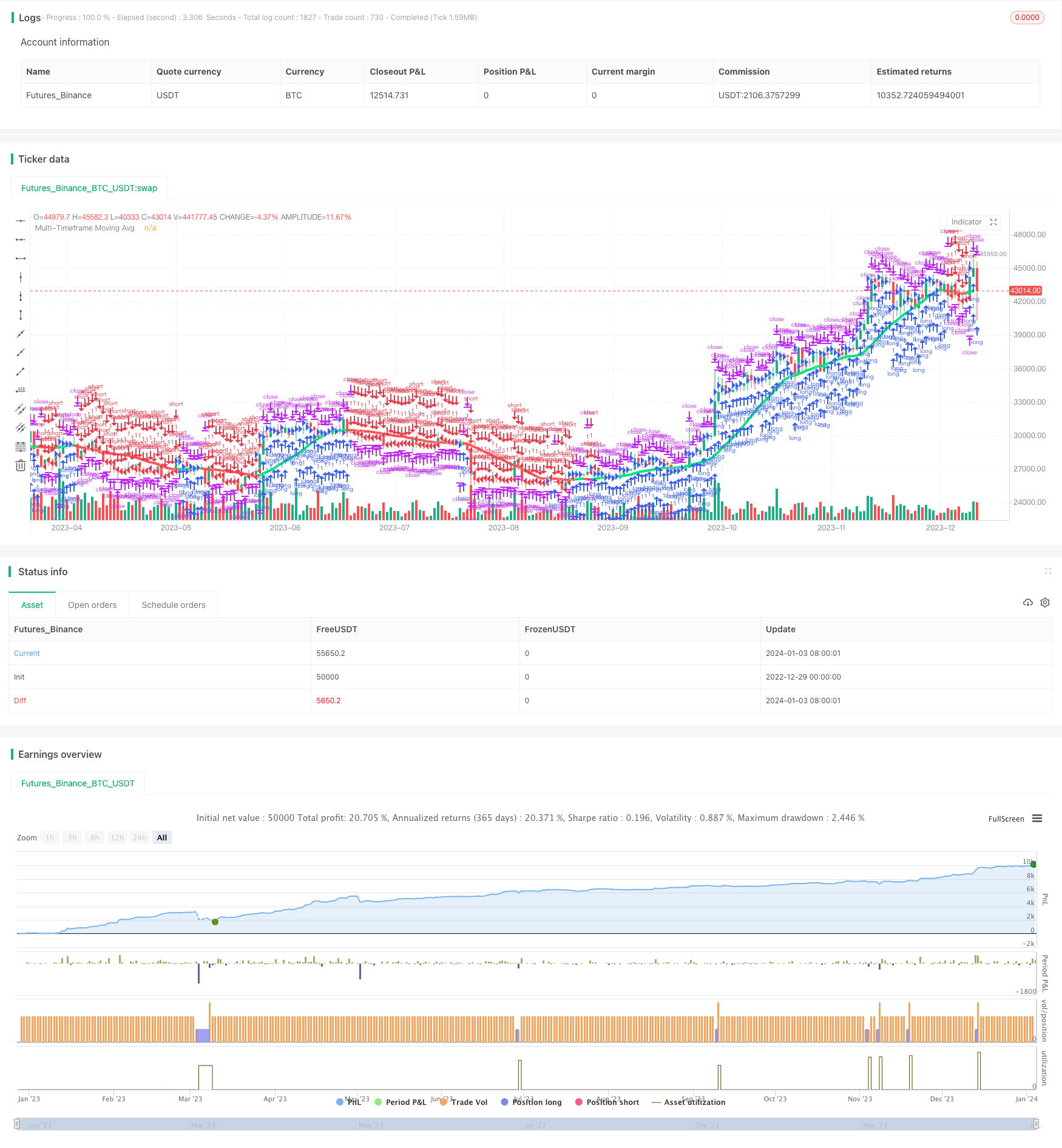
Overview
This strategy is based on the famous CM_Ultimate_MA_MTF indicator and rewritten into a trading strategy. It can plot moving averages across multiple timeframes and generate crossover signals between MAs of different periods. The strategy also incorporates a trailing stop loss mechanism.
Strategy Logic
- Plot MA lines of different types on the main chart timeframe and higher timeframes based on user configuration.
- Go long when faster MA crosses above slower MA; go short when faster MA crosses below slower MA.
- Add trailing stop loss to further control risks.
Advantage Analysis
- MA crossovers across timeframes can improve signal quality and reduce false signals.
- Combination of different MA types utilizes strengths of individual indicators for better stability.
- Trailing stop loss helps to limit losses in a timely manner.
Risk Analysis
- Lagging nature of MA may miss short-term opportunities.
- Poor optimization of MA periods may generate excessive false signals.
- Improper stop loss placement may cause unnecessary exit.
Optimization Directions
- Test combinations of MA parameters to find optimum setup.
- Add other indicators for signal filtration and quality improvement.
- Optimize stop loss strategy to suit market profile.
Conclusion
The strategy integrates multi-timeframe analysis and trailing stop approaches of moving averages to improve signal quality and risk control. Further enhancement can be achieved through parameter tuning and adding complementary indicators.
Parameters
| Name | Default | What it controls |
|---|---|---|
| v_input_1 | true | Use Current Chart Resolution? |
| v_input_2 | D | Use Different Timeframe? Uncheck Box Above |
| v_input_3 | 20 | Moving Average Length - LookBack Period |
| v_input_4 | true | 1=SMA, 2=EMA, 3=WMA, 4=HullMA, 5=VWMA, 6=RMA, 7=TEMA |
| v_input_5 | true | Change Color Based On Direction? |
| v_input_6 | 2 | Color Smoothing - 1 = No Smoothing |
| v_input_7 | false | Optional 2nd Moving Average |
| v_input_8 | 50 | Moving Average Length - Optional 2nd MA |
| v_input_9 | true | 1=SMA, 2=EMA, 3=WMA, 4=HullMA, 5=VWMA, 6=RMA, 7=TEMA |
| v_input_10 | true | Change Color Based On Direction 2nd MA? |
| v_input_11 | false | ***You Can Turn On The Show Dots Parameter Below Without Plotting 2nd MA to See Crosses*** |
| v_input_12 | false | ***If Using Cross Feature W/O Plotting 2ndMA - Make Sure 2ndMA Parameters are Set Correctly*** |
| v_input_13 | false | Show Dots on Cross of Both MA's |
| v_input_14 | true | Use Trailing Stop? |
| v_input_15 | 200 | Stop Loss Trail Points |
| v_input_16 | 400 | Stop Loss Trail Offset |
Source Pine Script
/*backtest
start: 2022-12-29 00:00:00
end: 2024-01-04 00:00:00
period: 1d
basePeriod: 1h
exchanges: [{"eid":"Futures_Binance","currency":"BTC_USDT"}]
*/

//@version=2

strategy(title = "Ultimate Moving Average Strategy", shorttitle = "UMA Strategy", overlay = true)

//Created by user ChrisMoody 4-24-2014
//Converted to strategy by Virtual_Machinist 7-11-2018
//Plots The Majority of Moving Averages
//Defaults to Current Chart Time Frame --- But Can Be Changed to Higher Or Lower Time Frames
//2nd MA Capability with Show Crosses Feature

//inputs
src = close
useCurrentRes = input(true, title="Use Current Chart Resolution?")
resCustom = input(title="Use Different Timeframe? Uncheck Box Above",  defval="D")
len = input(20, title="Moving Average Length - LookBack Period")
atype = input(1,minval=1,maxval=7,title="1=SMA, 2=EMA, 3=WMA, 4=HullMA, 5=VWMA, 6=RMA, 7=TEMA")
cc = input(true,title="Change Color Based On Direction?")
smoothe = input(2, minval=1, maxval=10, title="Color Smoothing - 1 = No Smoothing")
doma2 = input(false, title="Optional 2nd Moving Average")
len2 = input(50, title="Moving Average Length - Optional 2nd MA")
atype2 = input(1,minval=1,maxval=7,title="1=SMA, 2=EMA, 3=WMA, 4=HullMA, 5=VWMA, 6=RMA, 7=TEMA")
cc2 = input(true,title="Change Color Based On Direction 2nd MA?")
warn = input(false, title="***You Can Turn On The Show Dots Parameter Below Without Plotting 2nd MA to See Crosses***")
warn2 = input(false, title="***If Using Cross Feature W/O Plotting 2ndMA - Make Sure 2ndMA Parameters are Set Correctly***")
sd = input(false, title="Show Dots on Cross of Both MA's")

useStop     = input(defval = true, title = "Use Trailing Stop?")
slPoints    = input(defval = 200, title = "Stop Loss Trail Points", minval = 1)
slOffset    = input(defval = 400, title = "Stop Loss Trail Offset", minval = 1)

res = useCurrentRes ? timeframe.period : resCustom
//hull ma definition
hullma = wma(2*wma(src, len/2)-wma(src, len), round(sqrt(len)))
//TEMA definition
ema1 = ema(src, len)
ema2 = ema(ema1, len)
ema3 = ema(ema2, len)
tema = 3 * (ema1 - ema2) + ema3

avg = atype == 1 ? sma(src,len) : atype == 2 ? ema(src,len) : atype == 3 ? wma(src,len) : atype == 4 ? hullma : atype == 5 ? vwma(src, len) : atype == 6 ? rma(src,len) : tema
//2nd Ma - hull ma definition
hullma2 = wma(2*wma(src, len2/2)-wma(src, len2), round(sqrt(len2)))
//2nd MA TEMA definition
sema1 = ema(src, len2)
sema2 = ema(sema1, len2)
sema3 = ema(sema2, len2)
stema = 3 * (sema1 - sema2) + sema3

avg2 = atype2 == 1 ? sma(src,len2) : atype2 == 2 ? ema(src,len2) : atype2 == 3 ? wma(src,len2) : atype2 == 4 ? hullma2 : atype2 == 5 ? vwma(src, len2) : atype2 == 6 ? rma(src,len2) : tema

out = avg
out_two = avg2

out1 = request.security(syminfo.tickerid, res, out)
out2 = request.security(syminfo.tickerid, res, out_two)

ma_up = out1 >= out1[smoothe]
ma_down = out1 < out1[smoothe]

col = cc ? ma_up ? lime : ma_down ? red : aqua : aqua
col2 = cc2 ? ma_up ? lime : ma_down ? red : aqua : aqua

circleYPosition = out2

plot(out1, title="Multi-Timeframe Moving Avg", style=line, linewidth=4, color = col)
plot(doma2 and out2 ? out2 : na, title="2nd Multi-TimeFrame Moving Average", style=circles, linewidth=4, color=col2)
plot(sd and cross(out1, out2) ? circleYPosition : na,style=cross, linewidth=5, color=yellow)

// Strategy conditions

longCond    = ma_up
shortCond   = ma_down
// entries and base exit
strategy.entry("long", strategy.long, when = longCond)
strategy.entry("short", strategy.short, when = shortCond)

if (useStop)
    strategy.exit("XL", from_entry = "long", trail_points = slPoints, trail_offset = slOffset)
    strategy.exit("XS", from_entry = "short", trail_points = slPoints, trail_offset = slOffset)
// not sure needed, but just incase..
strategy.exit("XL", from_entry = "long", when = shortCond)
strategy.exit("XS", from_entry = "short", when = longCond)Published by ChaoZhang on the FMZ strategy square · last modified 2024-01-05. Collected in the Quant Trading Vault. Unvalidated research: re-test with your own data and costs before trusting it.
Build this with AgenKit
A spec is not a trading system. Paste this into your coding agent and AgenKit runs a specialist team — architecture, test-first build, risk gates, review — with paper trading on by default.
/agenkit build a production-grade trading bot with a backtest engine, risk controls and paper trading by default from strategies/Multi-Timeframe-Moving-Average-Crossover-Optimization-Strategy.md- npx agenkit install engineering-kit in your project
- Paste the command into your agent and approve each phase
- Get tests, backtest, risk controls and a paper-trading switch
Understand it first
Before you run this, read the lesson behind the idea and how to backtest it honestly. Specs like this one are the survivors of an unknown number of trials; deflate their results accordingly.
Related specs
- ADX MA and EMA Long Only Trend Tracking StrategyPine Script · Trend following · 1d
- ATR and Moving Average Crossover Hybrid StrategyPine Script · Trend following · 1h
- Bollinger Band Moving Average Crossover StrategyPine Script · Trend following · 1h
- Bollinger Bands and EMA Trend Following StrategyPine Script · Trend following · 1h
- Bollinger Bands and RSI Trend Following StrategyPine Script · Trend following · 1h
- Candlestick Pattern Trend Filter StrategyPine Script · Trend following · 1d