Strategy vault / Trend following
TradingView Alerts to MT4 MT5 dynamic variables NON REPAINTING
Accidentally, I'm sharing open-source profitable Forex strategy. Accidentally, because this was aimed to be purely educational material. A few days ago TradingView released a very powerful feature of dynamic values…
Accidentally, I'm sharing open-source profitable Forex strategy. Accidentally, because this was aimed to be purely educational material. A few days ago TradingView released a very powerful feature of dynamic values from PineScript now being allowed to be passed in Alerts. And thanks to TradingConnector, they could be instantly executed in MT4 or MT5 platform of any broker in the world. So yeah - TradingConnector works with indices and commodities , too.
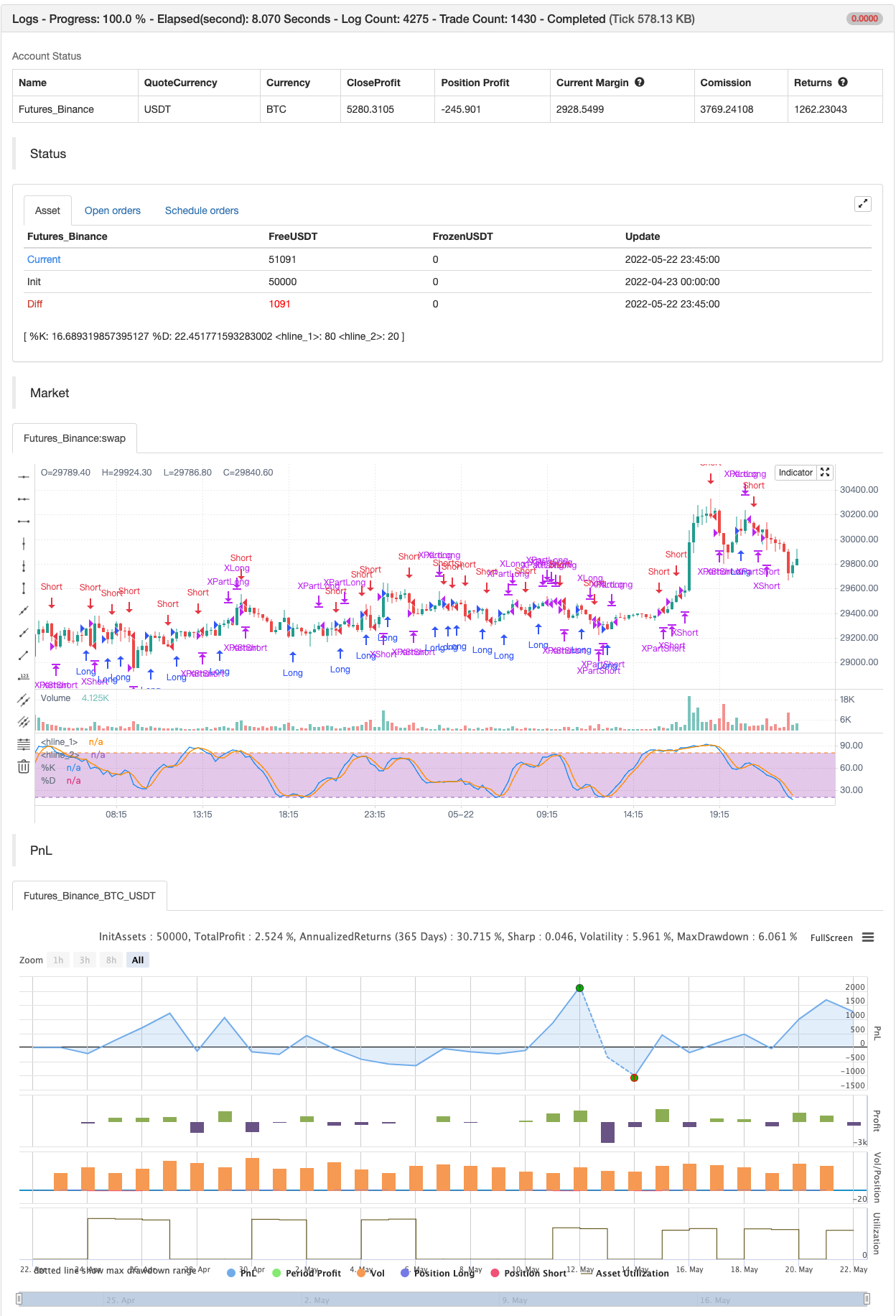
The logic of this EURUSD 6h strategy is very simple - it is based on Stochastic crossovers with stop-loss set under most recent pivot point . Setting stop-loss with surgical precision is possible exactly thanks to allowance of dynamic values in alerts. TradingConnector has been also upgraded to take advantage of these dynamic values and it now enables executing trades with pre-calculated stop-loss, take-profit, as well as stop and limit orders.
Another fresh feature of TradingConnector, is closing positions only partly - provided that the broker allows it, of course. A position needs to have trade_id specified at entry, referred to in further alerts with partial closing. Detailed spec of alerts syntax and functionalities can be found at TradingConnector website. How to include dynamic variables in alert messages can be seen at the very end of the script in alertcondition() calls.
The strategy also takes commission into consideration.
Slippage is intentionally left at 0. Due to shorter than 1 second delivery time of TradingConnector, slippage is practically non-existing. This can be achieved especially if you're using VPS server, hosted in the same datacenter as your brokers' servers. I am using such setup, it is doable. Small slippage and spread is already included in commission value.
This strategy is NON-REPAINTING and uses NO TRAILING-STOP or any other feature known to be faulty in TradingView backtester. Does it make this strategy bulletproof and 100% success-guaranteed? Hell no! Remember the no.1 rule of backtesting - no matter how profitable and good looking a script is, it only tells about the past. There is zero guarantee the same strategy will get similar results in the future.
To turn this script into study so that alerts can be produced, do 2 things:
- comment "strategy" line at the beginning and uncomment "study" line
- comment lines 54-59 and uncomment lines 62-65. Then add script to the chart and configure alerts.
This script was build for educational purposes only.
Certainly this is not financial advice. Anybody using this script or any of its parts in any way, must be aware of high risks connected with trading.
Thanks @LucF and @a.tesla2018 for helping me with code fixes :)
backtest
Parameters
| Name | Default | What it controls |
|---|---|---|
| v_input_1 | 400 | TakeProfitDistance |
| v_input_2 | 150 | TakePartialProfitDistance |
| v_input_int_1 | 13 | K |
| v_input_int_2 | 3 | D |
| v_input_int_3 | 4 | Smooth |
Source Pine Script
/*backtest
start: 2022-04-23 00:00:00
end: 2022-05-22 23:59:00
period: 15m
basePeriod: 5m
exchanges: [{"eid":"Futures_Binance","currency":"BTC_USDT"}]
*/

// This source code is subject to the terms of the Mozilla Public License 2.0 at https://mozilla.org/MPL/2.0/
// © Peter_O

//@version=5
strategy(title='TradingView Alerts to MT4 MT5 Strategy example', commission_type=strategy.commission.cash_per_order, commission_value=0.00003, overlay=false, default_qty_value=100000, initial_capital=1000)
//study(title="TradingView Alerts to MT4 MT5 Strategy example")  //uncomment this line and comment previous one to make it a study producing alerts
//
// This script was created for educational purposes only.
// It is showing how to use dynamic variables in TradingView alerts.
// And how to execute them in Forex, indices and commodities markets

TakeProfitDistance = input(400)
TakePartialProfitDistance = input(150)

// **** Entries logic **** {
periodK = input.int(13, title='K', minval=1)
periodD = input.int(3, title='D', minval=1)
smoothK = input.int(4, title='Smooth', minval=1)
k = ta.sma(ta.stoch(close, high, low, periodK), smoothK)
d = ta.sma(k, periodD)
plot(k, title='%K', color=color.new(color.blue, 0))
plot(d, title='%D', color=color.new(color.orange, 0))
h0 = hline(80)
h1 = hline(20)
fill(h0, h1, color=color.new(color.purple, 75))

GoLong = ta.crossover(k, d) and k < 80
GoShort = ta.crossunder(k, d) and k > 20
// } End of entries logic

// **** Pivot-points and stop-loss logic **** {
piv_high = ta.pivothigh(high, 1, 1)
piv_low = ta.pivotlow(low, 1, 1)
var float stoploss_long = low
var float stoploss_short = high

pl = ta.valuewhen(piv_low, piv_low, 0)
ph = ta.valuewhen(piv_high, piv_high, 0)

if GoLong
    stoploss_long := low < pl ? low : pl
    stoploss_long
if GoShort
    stoploss_short := high > ph ? high : ph
    stoploss_short
// } End of Pivot-points and stop-loss logic

strategy.entry('Long', strategy.long, when=GoLong)
strategy.exit('XPartLong', from_entry='Long', qty_percent=50, profit=TakePartialProfitDistance)
strategy.exit('XLong', from_entry='Long', stop=stoploss_long, profit=TakeProfitDistance)
strategy.entry('Short', strategy.short, when=GoShort)
strategy.exit('XPartShort', from_entry='Short', qty_percent=50, profit=TakePartialProfitDistance)
strategy.exit('XShort', from_entry='Short', stop=stoploss_short, profit=TakeProfitDistance)

if GoLong
    alertsyntax_golong = 'long slprice=' + str.tostring(stoploss_long) + ' tp1=' + str.tostring(TakePartialProfitDistance) + ' part1=0.5 tp=' + str.tostring(TakeProfitDistance)
    alert(message=alertsyntax_golong, freq=alert.freq_once_per_bar_close)
if GoShort
    alertsyntax_goshort = 'short slprice=' + str.tostring(stoploss_short) + ' tp1=' + str.tostring(TakePartialProfitDistance) + ' part1=0.5 tp=' + str.tostring(TakeProfitDistance)
    alert(message=alertsyntax_goshort, freq=alert.freq_once_per_bar_close)


if GoLong
    strategy.entry("Enter Long", strategy.long)
else if GoShort
strategy.entry("Enter Short", strategy.short)Published by ChaoZhang on the FMZ strategy square · last modified 2022-05-24. Collected in the Quant Trading Vault. Unvalidated research: re-test with your own data and costs before trusting it.
Build this with AgenKit
A spec is not a trading system. Paste this into your coding agent and AgenKit runs a specialist team — architecture, test-first build, risk gates, review — with paper trading on by default.
/agenkit build a production-grade trading bot with a backtest engine, risk controls and paper trading by default from strategies/TradingView-Alerts-to-MT4-MT5-dynamic-variables-NON-REPAINTING.md- npx agenkit install engineering-kit in your project
- Paste the command into your agent and approve each phase
- Get tests, backtest, risk controls and a paper-trading switch
Understand it first
Before you run this, read the lesson behind the idea and how to backtest it honestly. Specs like this one are the survivors of an unknown number of trials; deflate their results accordingly.
Related specs
- EMA AROON ASHPine Script · Trend following · 3m
- Multi Indicator Dynamic Trend Prediction Trading SystemPine Script · Trend following · 1h
- Trend Detection Strategy Based on Gaussian Channel and Stochastic RSI FilterPine Script · Trend following · 1h
- Multi indicator Adaptive Trend Trading StrategyPine Script · Trend following · 1d
- Dual EMA Stochastic Trend Following Trading StrategyPine Script · Trend following · 1d
- Kifiers Hidden MFI STOCH Divergence Trend Breaker Trading StrategyPine Script · Trend following · 1h